
This configuration is no longer recommended because it does not reindex/recalculate statistics on all tables. Instead, see: Config: Create a SQL Server Reindex Maintenance plan
=================================
Prerequisites
Administrative Access to SQL Server with SQL Server Management Studio
Problem
The largest offender of index issues is the interval data stored in MSSQL. Interval Calculations are stored in a SQL Table called TAGVALUE_HISTORY. This single table for all interval data gets loaded up quickly and query response times slow down. There are also a number of other organizational steps that need to be maintained.
Resolution
Step 1: Find Maintenance Plan SQL Script
Attached to this solution is the .SQL script used.
Step 2: Ensure SQL Server Agent is running
In some cases, you may find that SQL Server Agent is shown as off, i.e. "Agent XPs disabled".

To turn on SQL Server agent, go into Services.msc and start the service. Then set the service properties start behavior to "Automatic".

Verify that the SQL Server Agent on SQL Server Management Studio
Step 3: Setup SQL Job
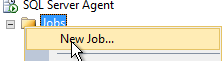
Create a new Job for the SQL Server Agent, make sure you are logged in as a SQL Server Administrator, i.e. using the administrator login, not generic data reader/writer IMATIS user.
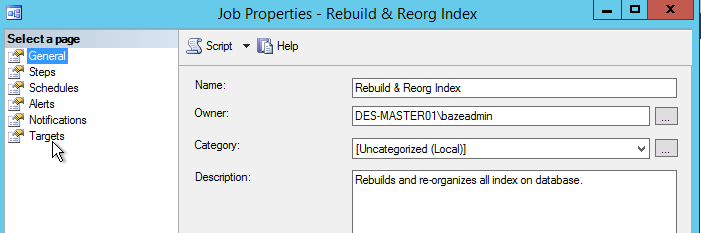
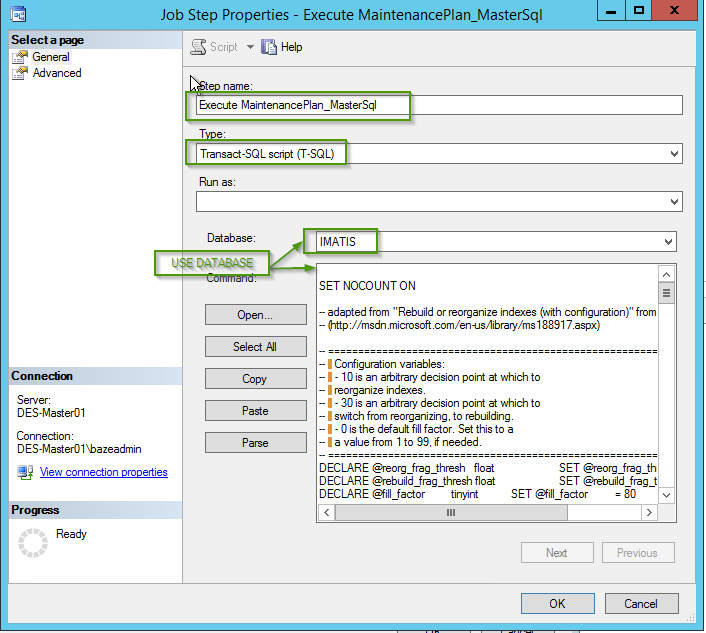
Create a new Step for the T-SQL. Copy the T-SQL from the Maintenace Plan into the command. Set the Step Name, and ensure the Type is T-SQL. Check that the "DATABASE" is assigned to the appropriate database.
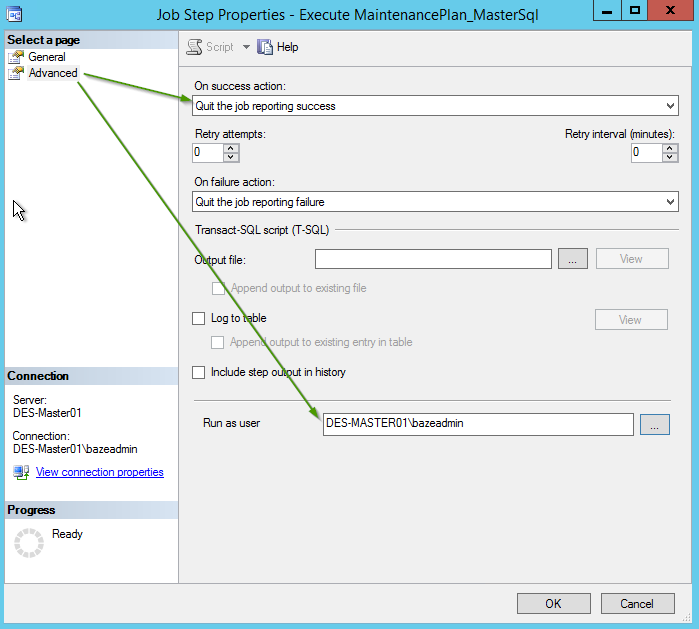
Set the Advanced settings. Since we only have 1 step in this job, quit the job reporting success. Ensure run-as user has appropriate administrative access
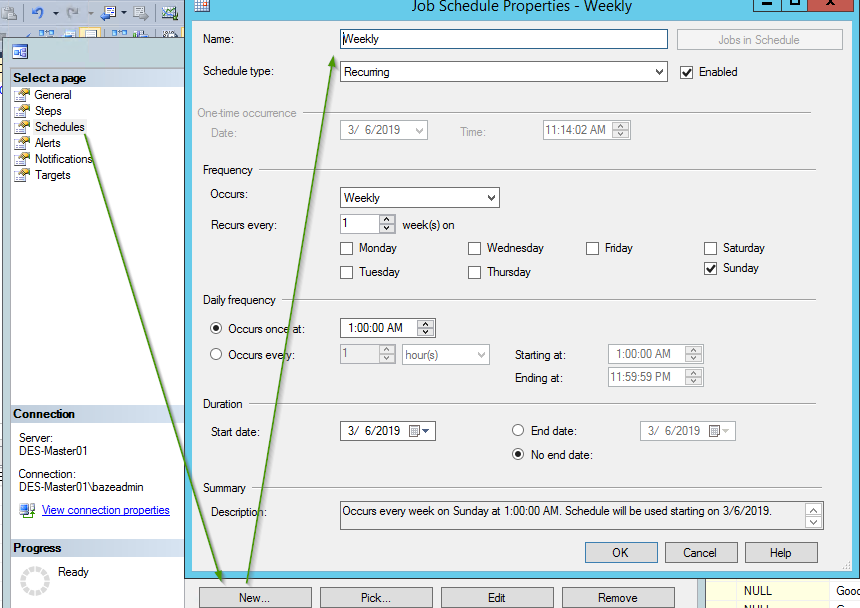
Create a new Weekly schedule for the Step. For this installation, we've chosen Sunday morning. Re-indexing can take quite a bit of time, such as 8 hours, and will also use up considerable resources on the server. Sunday morning minimizes impact to users.
Execute the job at step 1, and verify successful completion. Be ready to wait for completion and this job will take a long time to run. Check job history by right clicking on the job and going to "View History"
Background [Optional]
Re-organization and re-indexing can be read up on Microsoft SQL Server documentation.
Product Environment and Version
Baze Wind Database 8.5.0.54
Baze Framework Database 8.5.0.23
Baze Wind Farm Configurations 7.0.0.4