
Prerequisites [Optional]
Administrative access to the data engine server and buffer for log and data engine manager access.
Problem
The site communication state tag was showing a value of 12, the unknown error value.
Resolution
This resolution walks through a specific use-case solution. There could be different reasons for a value of 12 than corrected here.
Step 1: Make sure the logs are in verbose
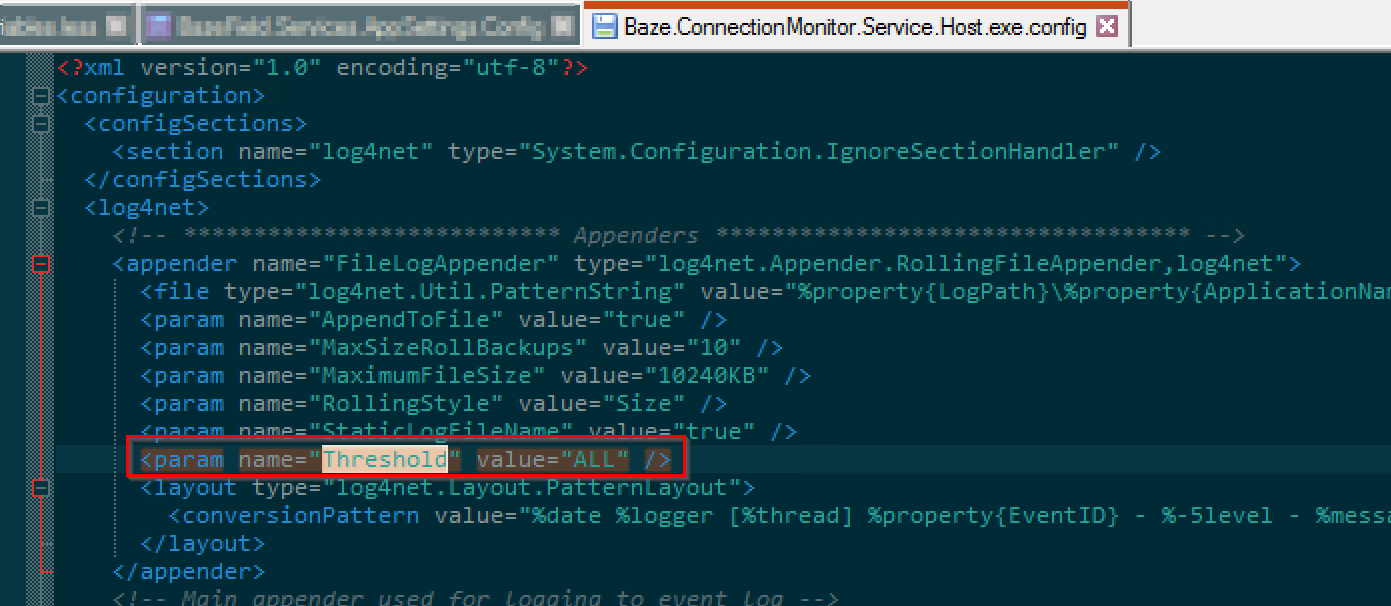
The configuration file for this service sets the logging threshold. This can be found in the install directory. In this case, "ALL" will add verbose logs.
C:\Program Files (x86)\Baze Technology\Baze ConnectionMonitor Service
Step 2: Find the section of the logs describing the different checks performed by the service
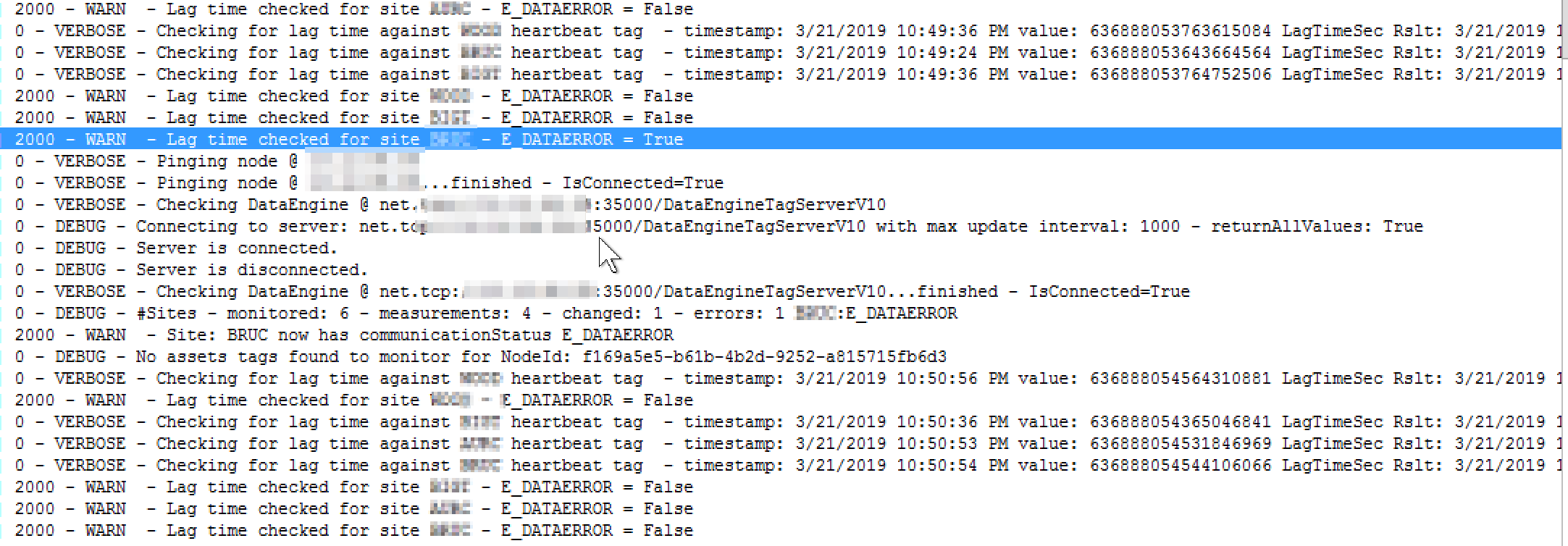
In the log directory, the Baze.ConnectionMonitor.Service.Host.exe.log file shows the activity of the communication monitor service.
Step 3: Correct the issue, in this case timezone
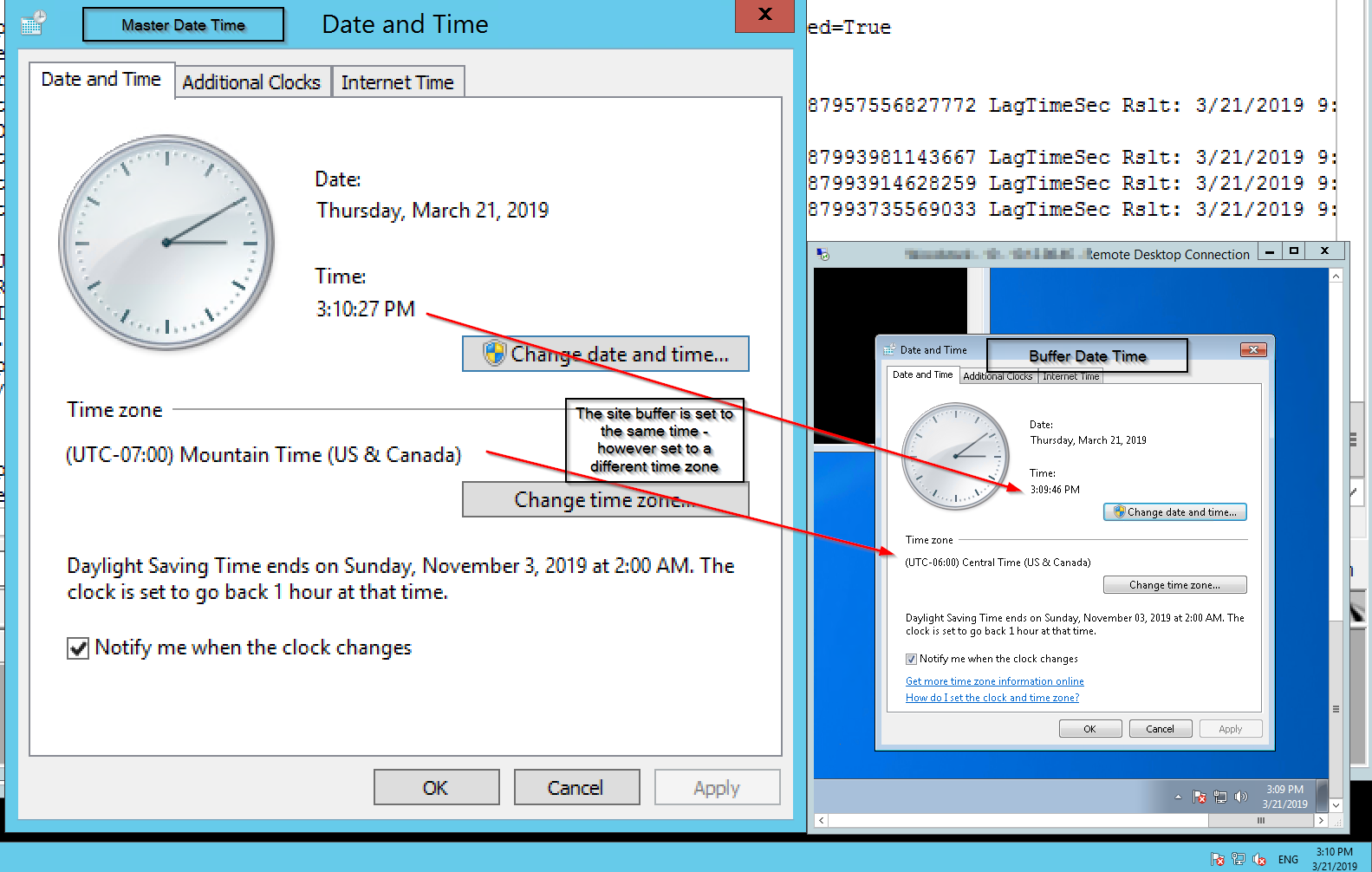
From the logs, we noticed that the lag time evaluation failed, and that the timestamp for the heartbeat tag was one hour behind the server time of utc now. Since the heartbeat tag was working, i.e. values counting up, shown as connected, and getting an updated timestamp on the buffer and master, we know there must be a timezone or clock drift issue.
Background [Optional]
For the site communication tag, ${Site}-CommunicationState there a few different options of values. This tag requires the use of the ${Site}-Heartbeat tag as well. Check delivery.bazefield.com for related taglists and how to implement documentation.
| 0 | Buffer Ok - no issues detected |
| 9 | Data is Backfilling |
| 10 | No reply from buffer ip via ping |
| 11 | No reply from data engine port |
| 12 | Unknown Comm Failure |
Product Environment and Version
Bazefield Communication Monitor Service