Background
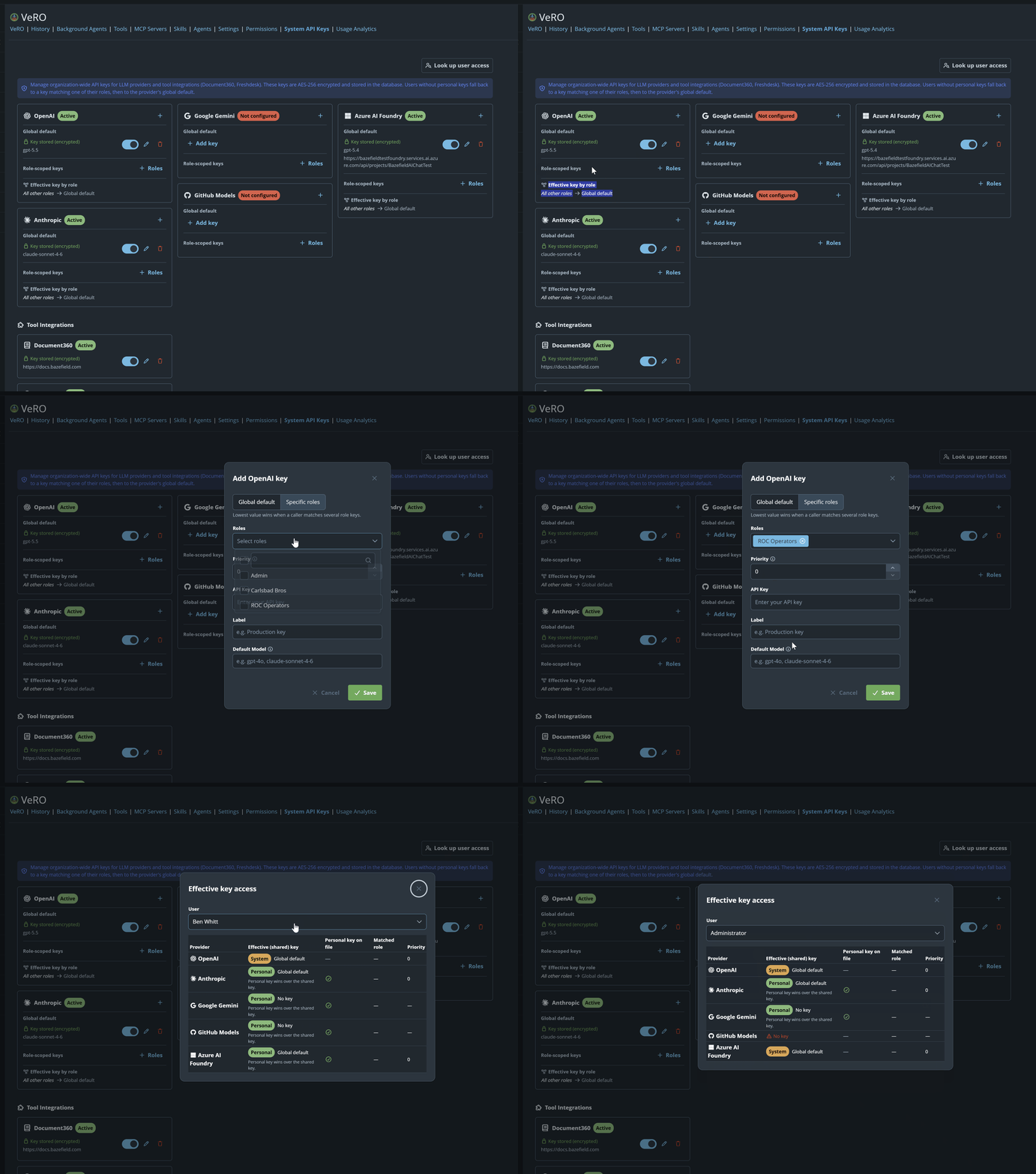
The Ai Chat feature VeRO supports User based, Role based and System wide API Keys to supported LLM Providers.
Versions
Bazefield 12.3 +
Ai Chat License
Requirements
We have a number of Ai Chat permissions under Resource Permissions defined on each Role. By default the "Admin" role that comes with bazefield will have the required permissions
All users with access to the Ai Harness VeRO will be allowed to input their own LLM Provider API Key. But management of role and system keys is restricted.
Steps
User based API Keys can be accessed by clicking the model name in the Drawer header (or model icon logo if small)
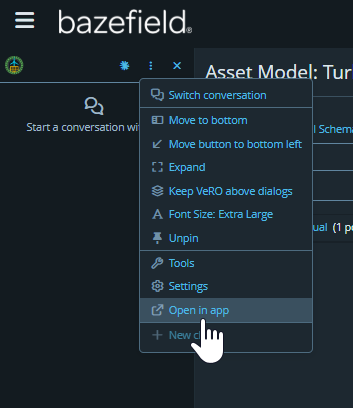
- Navigate to the Main Page for the Ai Chat.
- Accessible via the menu dropdown in the drawer "Open in app" button or the Ai Chat menu item under Administration
- Find System Keys header link
- On the right side of the links in the header. You wont see this link if you do not have permission.
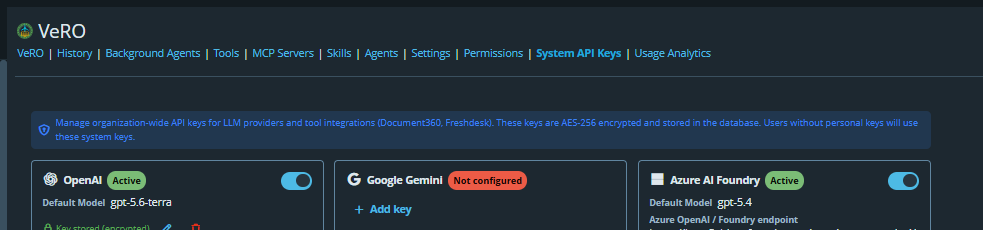
- On the right side of the links in the header. You wont see this link if you do not have permission.
- Hit the Plus button on the right of the Key Card for the Provider in Question
- Add your key, default model and roles. See gif below.